
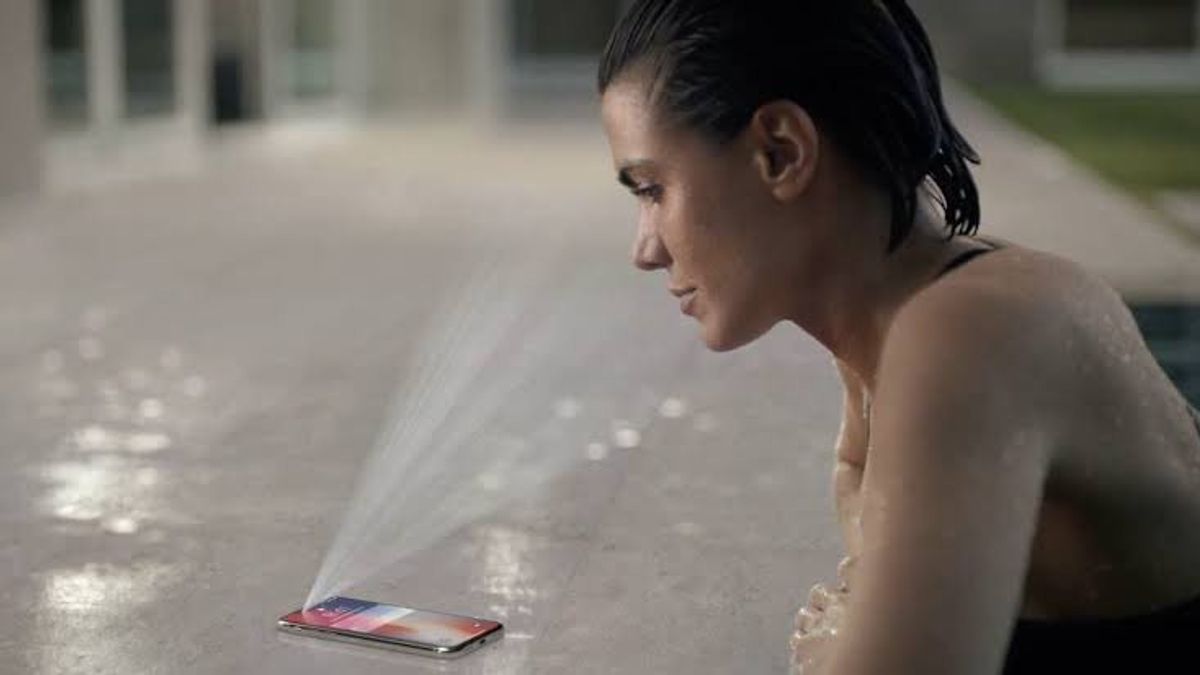


Apple is widely known as a technology company that prioritizes the privacy and security of its users' data. This commitment not only starts from the software side, but also from the chip design used in each Apple device.
Here are eight layers of security implemented by Apple to protect users' personal data, both stored on devices and on iCloud services:
1. Hardware Security
Apple's security starts with Boot ROM, part of an irreversible or even overwritten chip by Apple itself. This is the foundation of trust (root of trust) to ensure that only Apple's official operating system is able to run.
Secure Enclave (SE) chips store the most sensitive data, such as passcodes, fingerprints, and facial data (Face ID). This data cannot be accessed even by the operating system. SE only provides a "Yes" or "No" answer when asked to verify the user's identity.
In addition, the data encryption and decryption process is carried out directly by dedicated AES hardware machines not through the operating system. This ensures that personal data remains safe even from possible OS violations themselves.
2. Operational System Security
Apple's operating system has several protection mechanisms to prevent malicious codes from running. One of them is the Kernel Integrity Protection (KIP), which protects the memory area where the kernel (core OS) is located so that it cannot be changed once the system turns on.
Apple implemented six other level operating system protections to maintain the integrity and stability of iOS, macOS, iPadOS, and others.
3. File Encryption
Apple uses Data Protection technology to encrypt each new file with a unique 256-bit key, which is then used by the AES chip to encrypt data when stored. On Intel-based Macs, this technology is called FileVault. Apple Silicon Mac also still uses the FileVault term for consistency.
4. Application Security
Each app on the App Store must be notarized by Apple which includes checking against the built-in malware and antiviral system. In addition, the app runs in a sandbox environment, which limits their access to only specific data and functions.
The app cannot access or modify operating systems, other app data, or increase privileges without an explicit permit from Apple.
5. Service Security
Every Apple service has its own security system. For example, iMessage is protected by end-to-end encryption even Apple cannot read the contents of the message.
The message is encrypted separately for each recipient device using a unique key. The attachment (such as a photo) is also encrypted with a separate key before uploading to iCloud. The key and link are then encrypted again and sent to the recipient device.
6. Network security
Apple is disguising device MAC addresses to prevent tracking by Wi-Fi networks. Even when certain techniques are used to try to uncover the original MAC address, Apple adds extra security layers such as random offsets in the time synchronization function, to make tracking difficult.
SEE ALSO:
-
 | TEKNOLOGI
Microsoft Hadirkan Fitur Penyegaran Otomatis untuk PivotTable di Excel
29 Juli 2025, 19:05 -
 | TEKNOLOGI
Sony Perkenalkan FlexStrike, Stick Arcade Nirkabel Pertama untuk PS5
29 Juli 2025, 18:35

7. Kit Developer (Developer Kits)
Developer Kits like HomeKit have internal security protocols. Communication between Apple devices and HomeKit devices is done through end-to-end encryption.
The device must prove that they are official before they can connect. Once successful, a unique encryption key will be made for communication between devices only.
8. Safe Device Management
Companies that use Apple devices for employees can set their own security policies. For example, devices can be configured to only receive complex passwords, limit certain applications, and can be removed remotely if they are lost or stolen.
With this eight-layer combination, Apple ensures that users have full control over their data even when the device falls into the wrong hands. For more information, Apple provides complete technical documents on its security system.
The English, Chinese, Japanese, Arabic, and French versions are automatically generated by the AI. So there may still be inaccuracies in translating, please always see Indonesian as our main language. (system supported by DigitalSiber.id)
Most Popular Tags
#Prabowo Subianto #donald trump #Febrie Adriansyah #8791 #giias 2026Popular


