


JAKARTA Watching favorite content can be done anywhere, even on mobile phones like an iPhone. However, for some people, and maybe including you, watching content will be more interesting on the big screen.
Therefore, the presence of television is still needed today. Fortunately, the content you have on television can be broadcast on Chromecast or Apple TV by transmitting the device. Here's how to connect iPhone to wireless television, citing from Makeuseof.
Connect The IPhone Screen To Television With AirPlay
The easiest way is to take advantage of the AirPlay feature on your iPhone. Whatever model you use, the phone should have the AirPlay feature. Make sure that both devices are connected to the same WiFi, then take the following steps.
SEE ALSO:
-
 | TEKNOLOGI
India Hapus Pajak Impor Komponen Ponsel, Apple dan Xiaomi Untung
03 Februari 2025, 15:05 -
 | TEKNOLOGI
ChatGPT Luncurkan Fitur Deep Research, Bisa Kerjakan Riset Kompleks
03 Februari 2025, 11:35 -
 | TEKNOLOGI
Pengawas Privasi Korea Selatan Akan Gali Sistem Pengelolaan Informasi DeepSeek
03 Februari 2025, 14:10 -
 | TEKNOLOGI
Teleskop SPHEREx NASA Diluncurkan Bulan Ini, Intip 3 Fakta Pentingnya
03 Februari 2025, 08:35
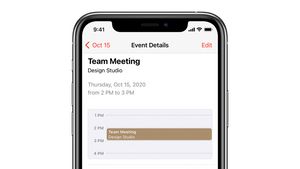
Streaming Video from iPhone to Apple TV
Next, you can stream live via your iPhone, but it's broadcast on television. This feature also relies on AirPlay because not all applications support transimi directly.
Most popular apps, such as Netflix or Disney, can directly use AirPlay, but there are some apps that may not support it. Therefore, you can stream live this way.
The English, Chinese, Japanese, Arabic, and French versions are automatically generated by the AI. So there may still be inaccuracies in translating, please always see Indonesian as our main language. (system supported by DigitalSiber.id)
Most Popular Tags
#Prabowo Subianto #donald trump #firearm #8791 #giias 2026Popular


