
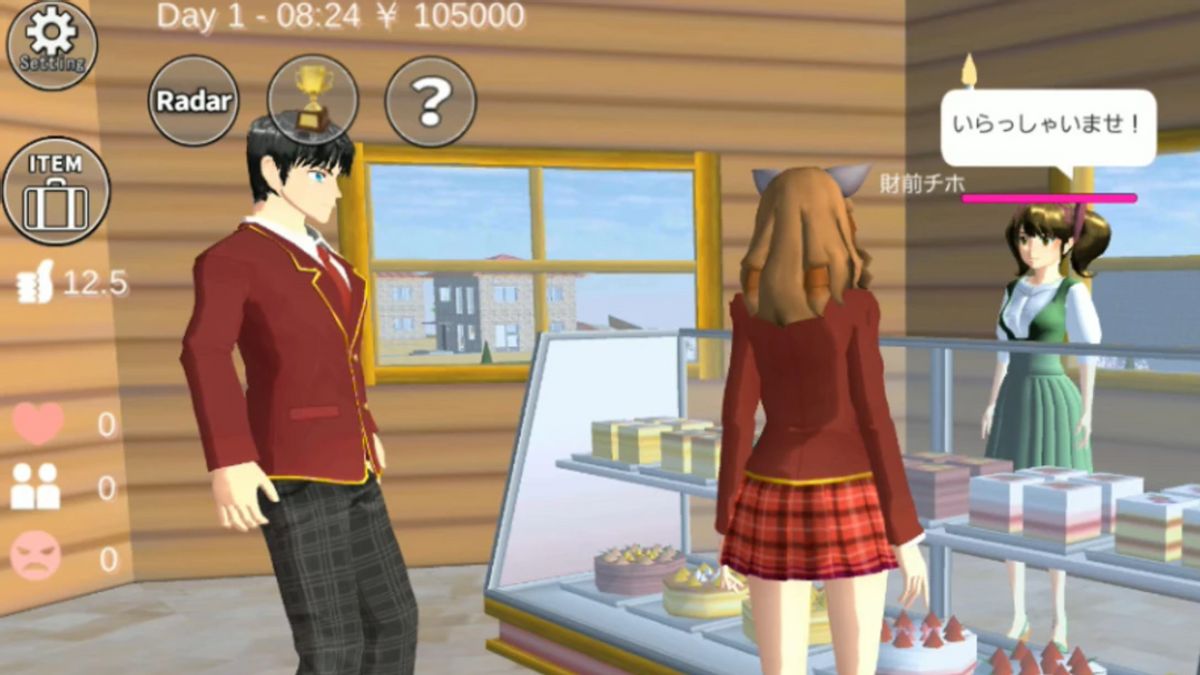


YOGYAKARTA Sakura School Simulator is a simulation game on smartphones that allows players to enjoy school life virtually. This game presents exciting gameplay and can be played simultaneously with friends aka major. So, how to do it at Sakura School Simulator?
The Sakura School Simulator online game offers a unique experience exploring the school environment, completing missions, and interacting with other characters.
The main attraction of this game is the freedom offered to players. They can do various activities, such as learning in class, making friends with other characters, participating in extracurricular, and participating in fighting with simpler fighting systems.
For novice players who want to try to play with friends, here are the tutorials for sharing at Sakura School Simulator that can be followed. Compiled from various sources, let's see the reviews below.
SEE ALSO:
-
 | TEKNOLOGI
Komdigi Jajaki Peluang Kerja Sama dengan UEA dalam Pengembangan Talenta AI
27 April 2025, 15:45




Before participating in the Sakura School Simulator game, players must prepare two different smartphones, and of course have a stable internet connection.
If everything is ready, players can follow the guidelines below to participate in the Sakura School Simulator Game:
Open the Sakura School Simulator game on your Smartphone, then create an account by opening the Menu. Next, select Pops and Account Creation.
At this stage, create a username. Make sure the username you create is different from the other users. If successful, you will get a pop-up that says Registration Successful.
After successfully creating an account, select the 'Multiplayer' mode to start a match with friends.
Next, you will be directed to the screen to create or join the room. If you want to create your own room, select the Create Room option and set the settings as desired.
If you want to join an existing room, select one of the available rooms.
The next step is to choose characters and costumes. Make sure you choose a different character from your friend to make it easy to recognize. Choose the costume you like to make it look different and interesting in the game.
If all the settings are ready, tap the "Start" button to start the game. You and your friends will be placed in a wide school environment, where you can explore various locations, interact with other characters, and complete a joint mission.
Before playing the Sakura School Simulator game, players need to understand the basics of this game.
The game starts with creating characters, where you can customize your appearance and choose a name for your avatar. Once ready, you can explore the school environment and interact with other players.
When exploring the gaming world, you can use a joystick located on the left side of the smartphone screen. On the right side of the screen, you will find buttons for various actions, such as running, jumping, attacking, and interacting with objects and characters.
If you share with friends, make sure you use the chat feature, in order to plan a strategy and coordinate while carrying out the mission.
That's the information about how to spread at the Sakura School Simulator Game. Get other selected news updates only on VOI.ID.
The English, Chinese, Japanese, Arabic, and French versions are automatically generated by the AI. So there may still be inaccuracies in translating, please always see Indonesian as our main language. (system supported by DigitalSiber.id)
Most Popular Tags
#Prabowo Subianto #donald trump #firearm #8791 #giias 2026Popular


