



JAKARTA - In Strava, you can be friends with anyone who also uses Strava, to share achievements, or exercise together.
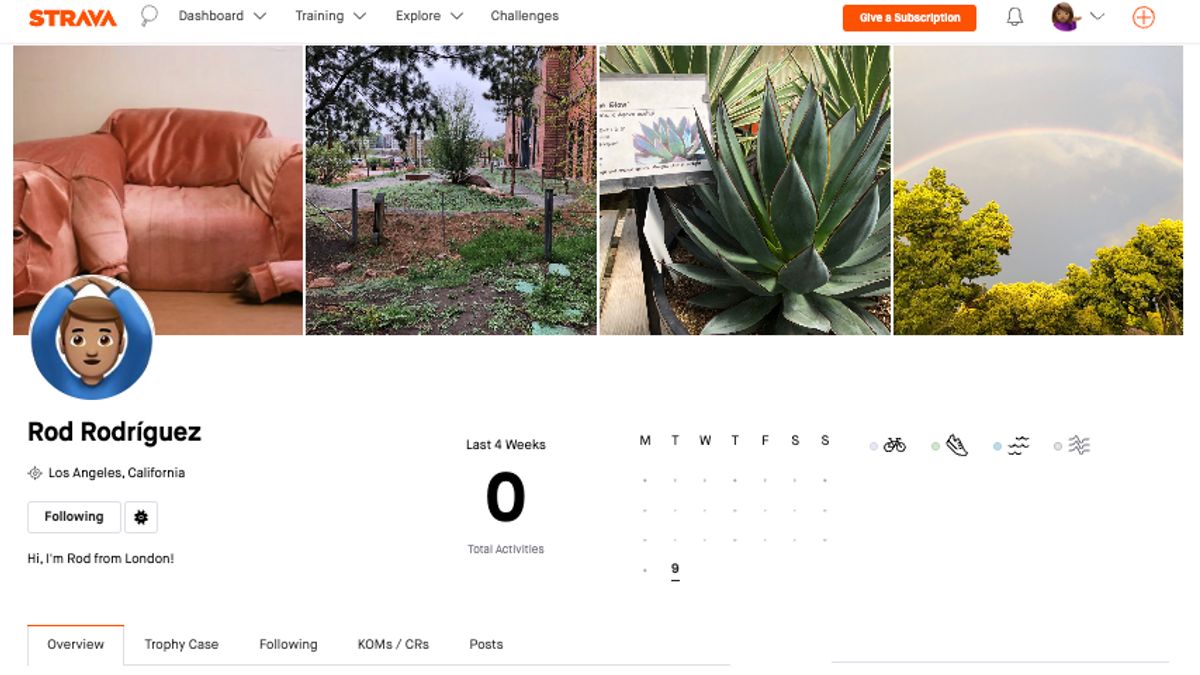
Your Strava profile page is an information center that reflects your activity and involvement on the platform. Where other users can view various data related to your sporting activities, such as recent photos, weekly and total statistics, as well as your membership in various clubs.
However, if you don't want other people to see it, Strava provides customizable privacy control settings so you can choose who can view your profile page.
The following is a complete guide for managing your profile privacy both through the web and mobile apps.
How To Manage Profile Privacy Control
Via web:
Through the mobile application:
SEE ALSO:
-
 | TEKNOLOGI
Cara Mirroring HP ke Laptop, Simak Langkah-langkah yang Dapat Dilakukan
10 Juli 2025, 16:30



If you select the "Everyone" privacy settings, then all Strava users, except those you have blocked, can see the full details of your profile.
This includes profile photos, bios, locations, weekly statistics, activity bar graphs, clubs, the latest achievements, shoes or bicycles used, to the best and ranking businesses such as KOM/QOM/CR.
On the other hand, if you set the privacy profile to "Followers", then only users you approve of as followers can see the full details of your profile.
The English, Chinese, Japanese, Arabic, and French versions are automatically generated by the AI. So there may still be inaccuracies in translating, please always see Indonesian as our main language. (system supported by DigitalSiber.id)
Most Popular Tags
#Prabowo Subianto #donald trump #firearm #8791 #giias 2026Popular


