

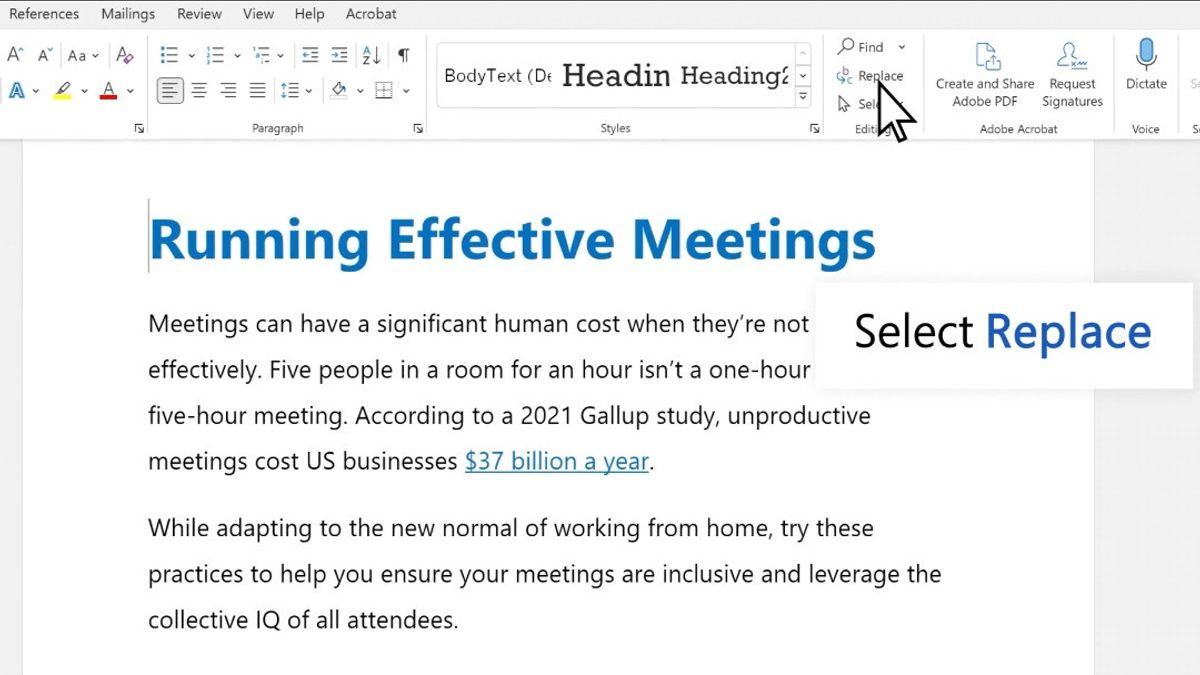


雅加达 - 如您所知,Microsoft Word 有一项功能,允许用户快速更改单词或短语,而无需逐一更改。
此功能被称为Find and Replace,可以直接从Windows桌面上的Home菜单访问。使用它的方式也相当简单,您只需遵循以下步骤:
Windows 桌面外,您还可以使用 macOS 使用此功能,以执行此功能,请遵循以下步骤:
可选,您还可以按下 CONTROL + H 功能,以更快地打开“查找”和“替换”窗口。建议使用“替换”,以便在更改所有文本之前查看结果。
The English, Chinese, Japanese, Arabic, and French versions are automatically generated by the AI. So there may still be inaccuracies in translating, please always see Indonesian as our main language. (system supported by DigitalSiber.id)
Add VOI as a Preferred Source
Follow VOI news updates across Google.
+


