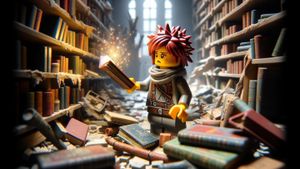
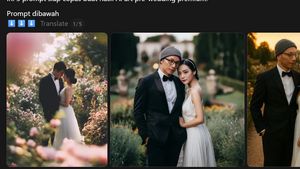
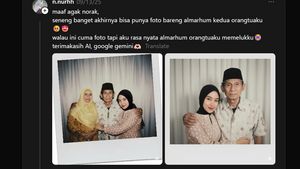
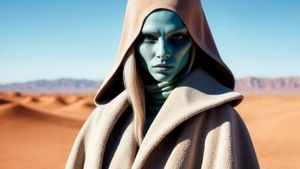
YOGYAKARTA - Anda sudah tahu beberapa contoh prompt Gemini AI ubah foto jadi animasi? Prompt atau perintah text tersebut dapat Anda manfaatkan di chatbot AI seperti Google Gemini atau ChatGPT. Teknologi AI tersebut akan mengolah gambar atau foto yang Anda unggah menjadi bentuk gambar baru sesuai dengan prompt yang Anda masukkan.
Contoh Prompt Gemini AI Ubah Foto Jadi Animasi
Di bawah ini adalah beberapa contoh prompt AI yang digunakan untuk mengubah foto menjadi animasi:
- "Transform this photo into a Pixar character. Warm lighting, and a cosy background full of storytelling elements."
- “Make this photo in Japan anime style. Turn this into an anime scene, sunset in the background.”
- "Turn this photo into a whimsical Pixar-style character with large expressive eyes, soft lighting, and vibrant colours in an imaginative setting like a magical forest.”
- "Turn this photo into a Pixar-inspired family portrait with exaggerated features, warm lighting, and a cosy background full of storytelling elements.”
- “Turn my portrait into an Japanese anime character. For background, a cat walking in Tokyo, anime style, 1980s aesthetic.”
- “Create a 3D animated portrait in a stylized, cinematic animation style reminiscent of Pixar with a touch of DreamWorks charm. The subject should closely resemble my reference photo, wearing sleek glasses and smiling.”
- “Turn this photo into a Pixar-style animated character with a joyful expression and a colorful background.”
- “Transform this photo into a character in the style of a Pixar, with warm lighting and expressive eyes.”
- “Turn this photo into a Disney-style character in a magical forest setting.”
- “Turn this photo into a Pixar-style character with a magical forest background.”
BACA JUGA:
-
 | TEKNOLOGI
Google Bagikan Tips Cerdas Hindari Penipuan Online di Musim Promo
12 Oktober 2025, 17:51 -
 | TEKNOLOGI
Gim Horor Psikologis dari Kisah Nyata: Tenebrea akan Dirilis pada 2026
12 Oktober 2025, 17:02 -
 | TEKNOLOGI
Hakim Cabut Perintah OpenAI untuk Simpan Data ChatGPT Tanpa Batas Waktu
12 Oktober 2025, 14:28
Cara menggunakan prompt AI untuk mengubah foto jadi animasi
Di bawah ini adalah langkah-langkah menggunakan prompt AI untuk mengubah foto menjadi seperti gaya animasi di ChatGPT:
- Buka https://chatgpt.com/ atau https://gemini.google.com/ di web browser Anda, pilih salah satu. Contohnya di ChatGPT, pada kolom chat, klik ikon “+” untuk menambahkan foto.
- Pilih opsi “tambah foto & file”.
- Unggah foto Anda yang hendak diubah ke gaya animasi Pixar.
- Masukkan salah satu prompt AI di atas. Contohnya prompt AI berikut: “Turn this photo into a whimsical Pixar-style character with large expressive eyes, soft lighting, and vibrant colours in an imaginative setting like a magical forest”.
- Klik “kirim” atau tekan enter.
- ChatGPT akan segera memproses permintaan Anda. Tunggu hingga selesai.
Setelah selesai, chatGPT akan menampilkan hasil foto bergaya ala animasi yang sesuai dengan foto Anda.
Anda dapat mencoba dua contoh foto hasil prompt AI di atas di ChatGPT versi gratis dan Gemini 2.5 Flash.
Demikianlah ulasan mengenai prompt Gemini AI ubah foto jadi animasi. Semoga bermanfaat! Kunjungi VOI.id untuk mendapatkan informasi menarik lainnya.