

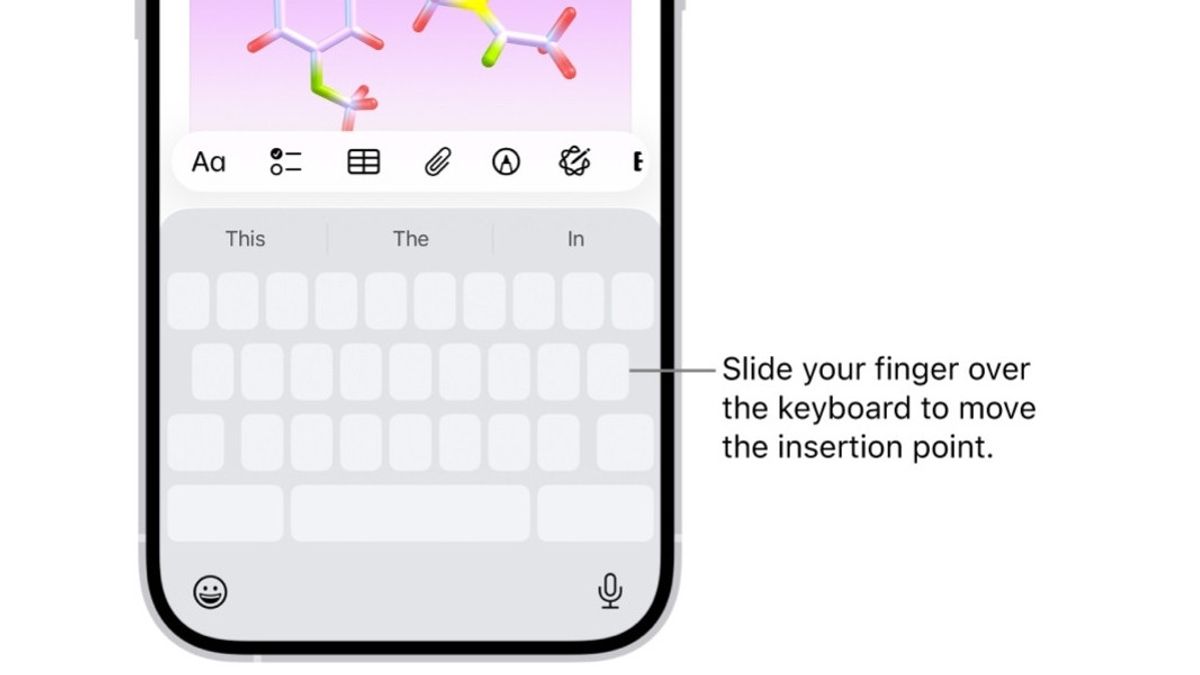


JAKARTA Not many people know that iPhones can be used to type quickly. Neither finger needs to be on the screen when the user uses this secret method.
In fact, these two methods are not really secret because some may already know this ability. However, Apple has never disclosed its features publicly and users may find out about it accidentally or from other people.
The first method is referred to as Slide to Type, where users only need to shift the keyboard to type. With this feature, users can type a word only by shifting the finger from one letter to the next.
After completing the spell of the word, you can remove your finger from the keyboard. This feature was originally called QuickPath by Apple. The concept of sliding to type is nothing new. This method has been around for a long time, spearheaded by projects like Swype.
SEE ALSO:
-
 | TEKNOLOGI
Tanda Daftar PSE TikTok Dibekukan karena Tak Penuhi Permintaan Data
03 Oktober 2025, 16:05 -
 | TEKNOLOGI
FIFA Umumkan FIFA Heroes, Gim Arcade Sepak Bola yang Bakal Hadir Tahun 2026
02 Oktober 2025, 21:05

Interestingly, the ability to slip to type this can be done with one hand. This feature is very useful for making the reach of the button shorter and easier to achieve, especially when you are unable to use either hand.
To enable it, display the keyboard and tap and hold the Emoji button in the form of a smiley face icon or Globe button. From the menu that appears, select one of the two keyboard options with the available arrows.
After that, the keyboard will dock to one side of the screen, reducing the distance of the button. The one-hand keyboard is very effective when combined with a slide to type. You no longer need to reach too far in line of buttons.
The English, Chinese, Japanese, Arabic, and French versions are automatically generated by the AI. So there may still be inaccuracies in translating, please always see Indonesian as our main language. (system supported by DigitalSiber.id)
Most Popular Tags
#Prabowo Subianto #donald trump #firearm #8791 #giias 2026Popular


