


JAKARTA - Like Google Assistant, the Samsung device has its own AI assistant named Bixby. Bixby can do a lot of tasks that you do on your Samsung Galaxy device.
Bixby Voice is very integrated into the phone. You can use voice, text, or tapping to give commands to open apps, send text messages, make reminders, and more.
To use Bixby, you must log into your Samsung account and connect to your data network (Wi-Fi or data network). Bixby content features and providers can vary depending on the state, language, device model, or OS version.
However, the first step you have to do before you can enjoy Bixby's ability is to know how to activate Bixby Voice on your phone.
Bixby Voice can be activated via a long press on your device's side button. You can also enable Bixby Voice by following the following steps:
In addition, you can also delete your Bixby Voice account at any time. Once your account is deleted, you will not be able to access Bixby Voice or use any of its features.
SEE ALSO:
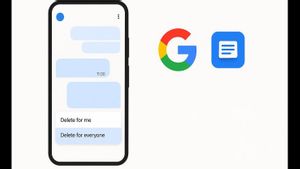

If you want to delete your Bixby Voice account, follow the following steps:
The English, Chinese, Japanese, Arabic, and French versions are automatically generated by the AI. So there may still be inaccuracies in translating, please always see Indonesian as our main language. (system supported by DigitalSiber.id)


