
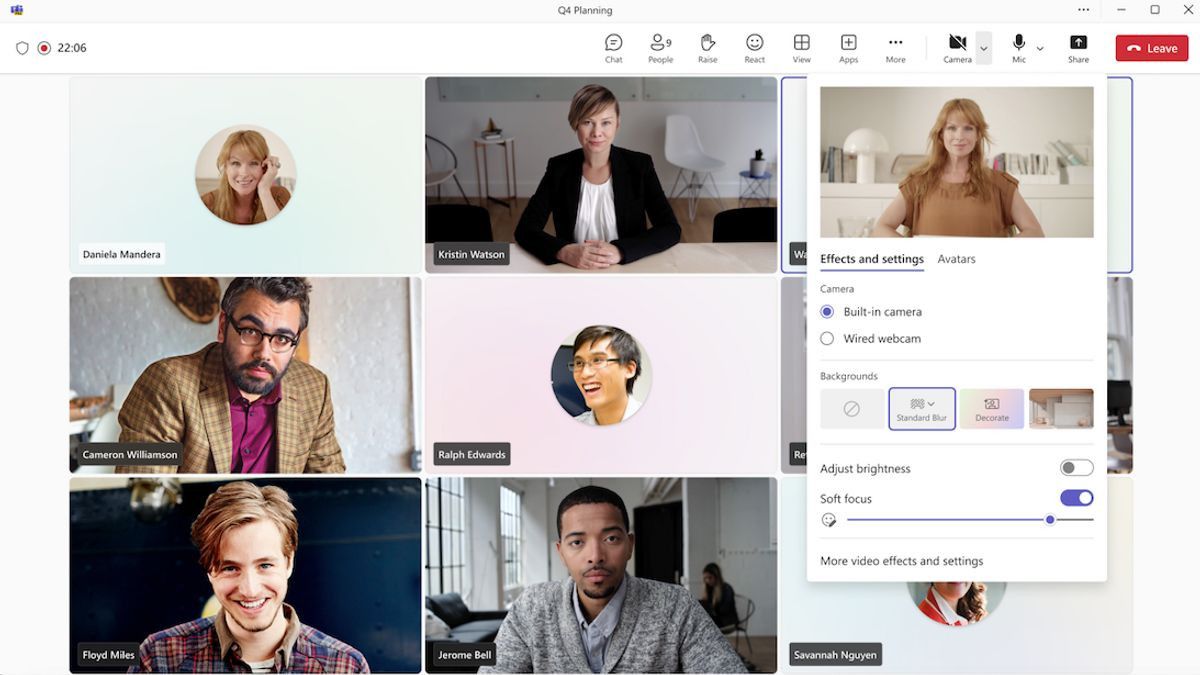


YOGYAKARTA ' Microsoft Teams' is a pre-message application that can be used to support communication. This application also supports communication involving many collaborators so that it is very suitable for real-time meetings. How to use Microsoft Teams is very easy, you can first install on your laptop.
How to use Microsoft Teams is to install the application on a laptop first. The installation is very easy, namely as follows.
After successfully logging in, users will be on the dashboard. Please note that Microsoft Teams can be used to join meetings (users as guests) or schedule meetings (users as hosts). Here's the explanation.
How to join meetings is easier. Users can click on the link sent by your colleague. After that select Join in the App' or you can also click Gabung via Web. Users can set the video or audio as desired. Make sure the two buttons are on so that other meeting participants can see you.
In addition to knowing how to join a meeting in Teams, users must also know the function of the button displayed in the application. Some important buttons that need to be known are as follows.
SEE ALSO:
-
 | TEKNOLOGI
Cadangan Bitcoin AS Jadi Sorotan, OJK Fokus Perkuat Keamanan Kripto Tanah Air
14 Maret 2025, 14:05 -
 | TEKNOLOGI
Komdigi Dukung Semua Upaya Penegakan Hukum terkait Dugaan Korupsi PDNS
14 Maret 2025, 15:03


The Microsoft Teams platform is considered easy to use to support meetings. Here are some advantages that users can feel.
The platform is integrated with many Microsoft 365 applications ranging from Word, Excel, PowerPoint, to OneDrive.
Video and audio calls on Teams are of high quality with a variety of other features that support communication.
Meeting via Teams can involve 300 participants at a time. This feature facilitates the moment of a large online meeting.
That's how to use Microsoft Teams. Visit VOI.id to get more interesting information.
The English, Chinese, Japanese, Arabic, and French versions are automatically generated by the AI. So there may still be inaccuracies in translating, please always see Indonesian as our main language. (system supported by DigitalSiber.id)
Most Popular Tags
#Prabowo Subianto #donald trump #firearm #8791 #giias 2026Popular


