
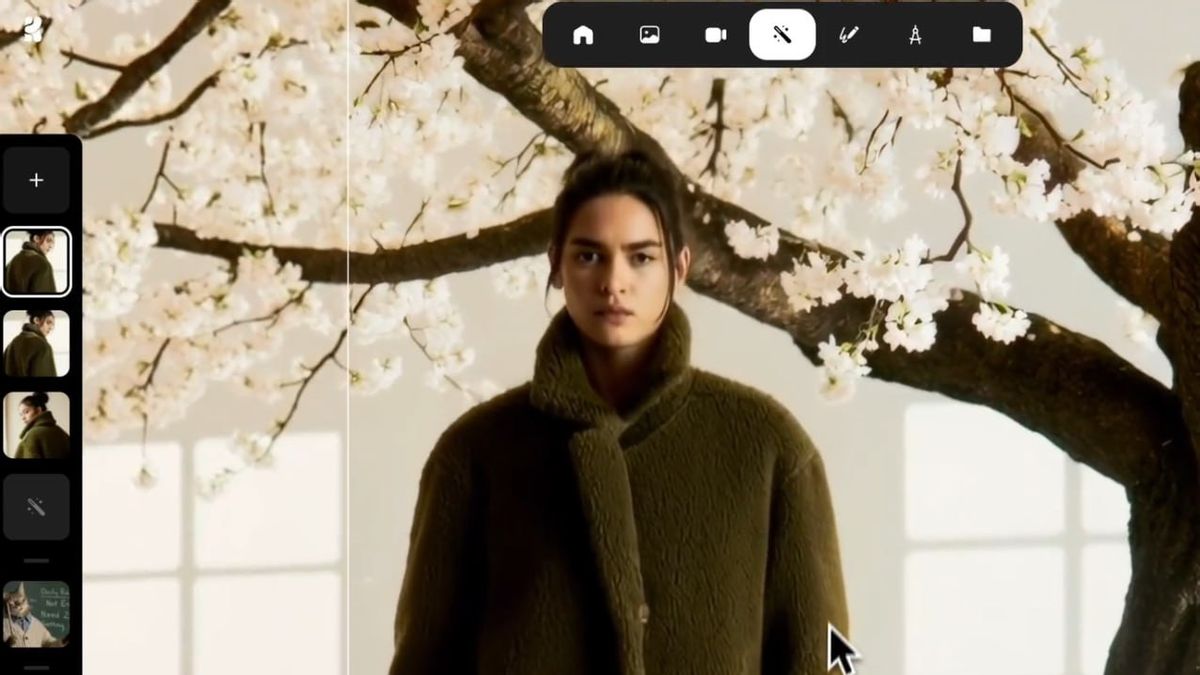


YOGYAKARTA - How to use AI creation is now an interesting topic for digital creators and AI art users. This app offers a solution to improve the opaque image quality to be sharper. AI creation helps users produce stunning visuals with fast and easy processes.
Here will be discussed how to use Krea AI and its flagship features. You will learn the stages of using AI Creators to produce high-resolution photos. With this tutorial, anyone can maximize the potential of Krea AI.
AI creation is not just an image-making tool, but also a platform to beautify and perfect photos in real-time. This application features scale improvement, detailed recovery, to image transformation to images. Both for illustration purposes, design projects, or social media content, AI creation is able to provide stunning results with quality up to 4K.
SEE ALSO:
-
 | TEKNOLOGI
Google Fi Tambahkan Teknologi AI untuk Tingkatkan Jaringan dan Pengalaman Pengguna
23 Oktober 2025, 14:31 -
 | TEKNOLOGI
Nano Banana Hadir di Google Lens dan Mode AI untuk Pengguna Indonesia
23 Oktober 2025, 14:09

Untuk memulai penggunaan, kunjungi situs resmi https://krea.ai dan buat akun gratis di pojok kanan atas halaman utama. Karena masih dalam versi beta terbuka, siapa pun bisa mengaksesnya dengan mudah. Setelah berhasil masuk, pengguna akan diarahkan ke antarmuka sederhana yang langsung menampilkan fitur utama seperti enhancement dan upscaling.
The first step is to upload your photo. Click the Upload button and select the image from the computer, or paste it directly from the internet. This flexibility allows users to edit images from various sources without format restrictions.
The second step, set the AI strength (AI stretch) and scale improvement rates using available sliders. With this feature, you can customize how powerful AI will process details and enlarge image resolution. This adjustment is important to achieve a balance between sharpness and authenticity of the final result.
The third step, add a prompt or description if needed. For example, if you want to make sure certain animal images stay in their original shape, you can give instructions such as 'camel in the desert' to make the results more accurate. This feature is useful for images with specific contexts or complex subjects.
The fourth step, press the Enhance button to start the refinement process. Within seconds, Krea AI will process the image using advanced algorithms to clarify, enlarge, and improve visual elements. The final result usually shows a significant improvement over the original photo.
The last step is to review and download the results. You can compare the version before and after to see the difference in detail. If you are satisfied, click the Download button in the upper right corner to save the image in the best quality.
AI creations have proven to be able to turn ordinary images into look like professional results. With easy-to-use features and outstanding results, AI creation is an ideal choice for anyone who wants to beautify the image instantly.
The English, Chinese, Japanese, Arabic, and French versions are automatically generated by the AI. So there may still be inaccuracies in translating, please always see Indonesian as our main language. (system supported by DigitalSiber.id)
Most Popular Tags
#Prabowo Subianto #donald trump #2026 World Cup #Febrie Adriansyah #8791Popular


