


JAKARTA - Google is again presenting a significant update for iPhone users by releasing a main screen widget (homescreen widget) for the Gemini app. After previously adding shortcuts on the key screen, Control Center, and Action Button, this update makes it easier for users to access AI Gemini features directly from their device's homepage.
In this update, users will find two types of widgets designed to provide quick access to Gemini's main functions. The first gadget is boxy and contains four main icons, including the Gemini total icon in the upper left corner which opens the app along with the keyboard. The color of this icon adjusts the type of user account blue' or purple for free and reddening users for Gemini Advanced subscribers.
In addition, there is also a microphone icon to dictate the prompt, a camera icon that activates the viewfinder feature to take photos and add them to the prompt, as well as a button to open Gemini Live in full screen view.
SEE ALSO:
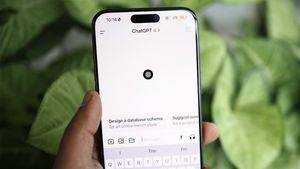




The second gadget comes in rectangular form with the "Ask Gemini" search bar equipped with the microphone icon on the right. Below it, there are two additional buttons for uploading documents from the system file and opening the user's photo gallery.
This new widget display follows the design style of the Google Search application and has become one of the most requested features by iOS users. In the midst of this enthusiasm, some users also voiced hope that Google would immediately present a special optimized version of the Gemini app for the iPad, considering that the Android tablet device had already received it.
Gemini's homescreen gadget is starting to be available today via app update version 1.2025.1662203 on the App Store.
The English, Chinese, Japanese, Arabic, and French versions are automatically generated by the AI. So there may still be inaccuracies in translating, please always see Indonesian as our main language. (system supported by DigitalSiber.id)
Most Popular Tags
#Prabowo Subianto #donald trump #firearm #8791 #giias 2026Popular


