
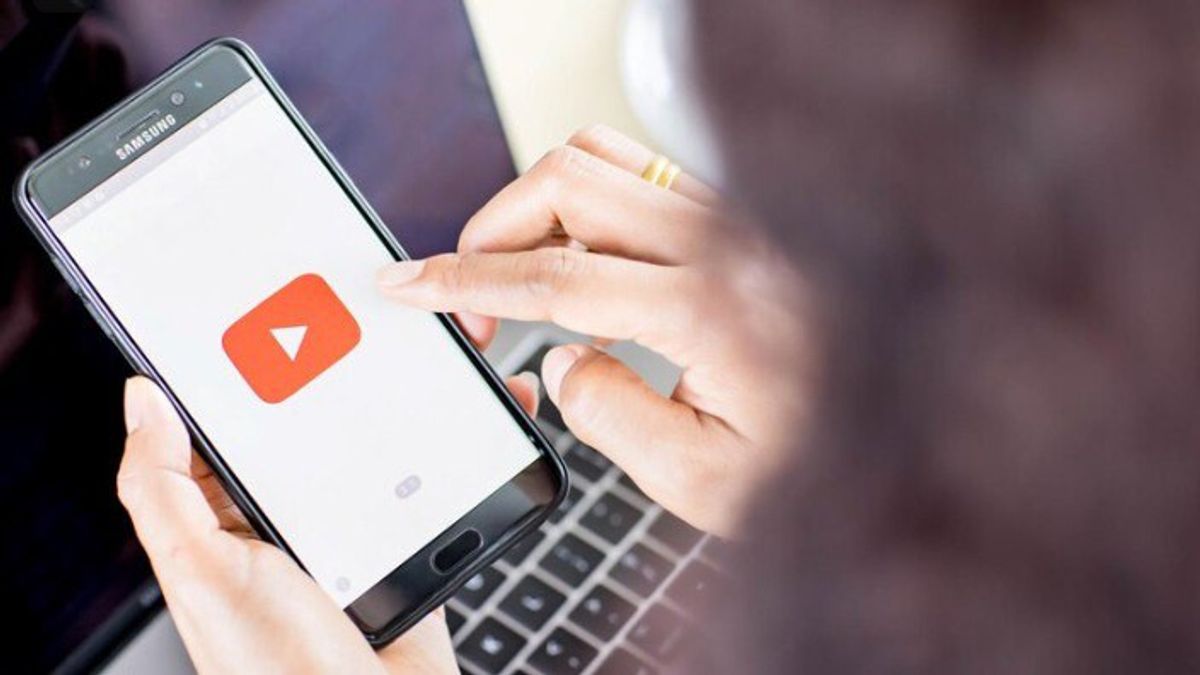


YOGYAKARTA - Some YouTube users experience complaints about the emergence of YouTube notifications that tell that YouTube is obsolete. This condition makes YouTube unable to be opened by users. So how to deal with outdated YouTube so that it can be accessed again?
When experiencing outdated YouTube conditions, of course, it will be difficult for many people. Especially for YouTube users who often use this application, either to watch content or as content creators. Therefore it is very important to know the causes and how to deal with outdated YouTube so that it can be used again.
YouTube is outdated or inaccessible, of course, not without reason. There are various factors that can cause this problem to be experienced by users. Based on information from Cashify and YouTube Help pages, here are some reasons why YouTube may not be able to open.
One of the reasons YouTube cannot be accessed is problems with the user's device. Sometimes the device experiences problems that the owner does not realize, thus inhibiting YouTube from functioning properly.
SEE ALSO:
-
 | TEKNOLOGI
BCA Digital Luncurkan Inisiatif Baru untuk Tingkatkan Kesadaran Keamanan Data Pribadi
13 Februari 2025, 14:00 -
 | TEKNOLOGI
Tak Terima Keputusan KPPU, Ini Alasan Google Ajukan Banding Soal Monopoli Play Store
13 Februari 2025, 15:08

To overcome this, users need to find out the cause of the problem on their device. The steps that can be taken include checking the installed application or ensuring whether the device is compatible with the YouTube app.
Another reason YouTube looks outdated or inaccessible is the possibility of interference on the device's internet connection. This is very influential because YouTube requires a stable connection to support the update process via the Google Play Store.
To overcome this, re-check the internet connection that is being used. Make sure the network remains stable so that YouTube can be accessed smoothly.
Often users don't realize that the storage space on their device is full. This condition can be the cause of YouTube being inaccessible, considering the app needs regular updates.
YouTube needs enough storage space to run the update process. If the storage space is full, it can affect some features on YouTube and hinder its function.
Blocking by domain administrators can also be the reason why YouTube looks outdated or inaccessible. This is due to the Google Apps feature that allows domain administrators to disable access to YouTube.
As a result, the YouTube app automatically cannot be used. Users need to understand more about this setting to find out how to reactivate YouTube access via domain administrators.
After knowing the various possible causes why YouTube appears outdated or inaccessible, now is the time to understand the steps to address it. Based on information from the official YouTube Help page, here are some solutions that can be tried to solve the problem.
The first step to address an outdated or inaccessible YouTube is to restart on the device. It has previously been explained that one of the causes of this problem can come from the application installation process.
Thus, restarting the device can be a simple solution to overcome these obstacles. But if this step doesn't work, users can try other methods to fix the problem.
Users are also advised to regularly clear caches and data. This step can help overcome various problems on devices, including problems in loading the YouTube app.
The trick is to open the settings menu, then go to the app section. After that, select the option to manage the YouTube application. In the storage menu, click the option to clear the cache and delete data.
For Android users, a YouTube problem that doesn't work due to an outdated operating system can be solved by updating the system. This step is expected to be able to solve the obstacles experienced.
The trick is to open settings on your Android device, then search for the system update menu. Select the option to install updates if available. Wait until the update process is complete. After that, check again if YouTube can run normally.
While there are various ways to solve the outdated YouTube problem, some devices may no longer be able to run the YouTube app due to limited technical specifications. In this situation, users are advised to switch to YouTube via a browser.
By opening YouTube via website or browser, users can still enjoy this platform service. However, if you want to use the app version, it is recommended to increase device specifications in order to support the operation of the YouTube application.
Those are some ways to deal with outdated YouTube so that it can be accessed again. If you are experiencing outdated YouTube conditions, try to take the steps above. Also read how to turn YouTube videos into text.
Stay up to date with the latest domestic and other overseas news on VOI. We present the latest and updated information nationally and internationally.
The English, Chinese, Japanese, Arabic, and French versions are automatically generated by the AI. So there may still be inaccuracies in translating, please always see Indonesian as our main language. (system supported by DigitalSiber.id)


