
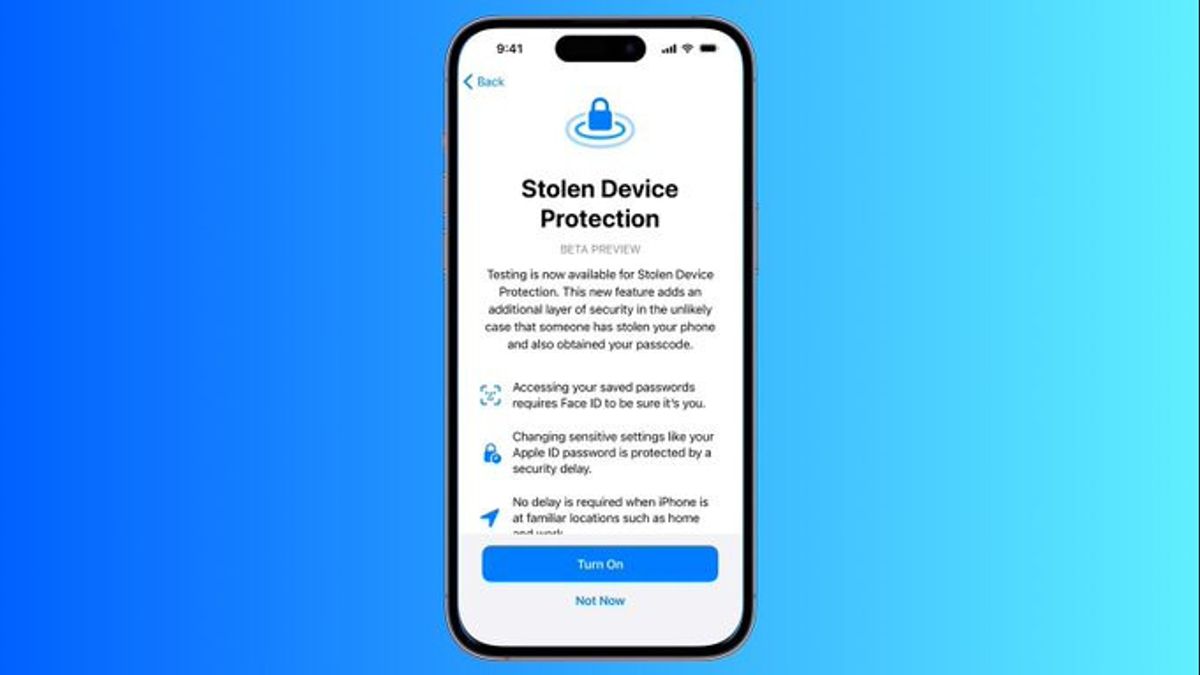


JAKARTA - Apple again strengthens the iPhone security system through the iOS 26.4 update by automatically activating the Stolen Device Protection feature for all users. This policy was implemented three years after the feature was first introduced, in response to the increasing number of iPhone theft cases accompanied by the hacking of the victim's password.
Stolen Device Protection was first launched in 2023 by Apple. The goal is to prevent criminals from accessing sensitive data when they successfully find out the passcode while stealing the victim's device. This mode has previously been rampant, where thieves peek at the victim's password before taking the device, then easily access the list of passwords, bank accounts, and disable security features such as Find My and Trusted Devices.
Previously, this feature was not active by default and had to be manually enabled through settings. However, starting with iOS 26.4, all users are automatically included in the protection without having to make additional configurations.
How Stolen Device Protection Works
When Stolen Device Protection is active, a number of sensitive actions can only be performed using biometric authentication such as Face ID or Touch ID without the backup option in the form of a passcode. This means that even if a thief knows the device's password, they still can't access crucial features.
Some actions that require biometric authentication without a fallback passcode include:
Using a password or passkey stored in Apple Passwords
Apply for an Apple Card
View the Apple Card virtual number
Disable Lost Mode
Delete all content and settings of the device
Take certain actions on Apple Cash and Savings in Wallet
Use payment methods stored in Safari
Using iPhone to set up a new device
This restriction is designed to prevent financial losses or the takeover of Apple IDs that can have a wide impact on users' digital identities.
For other features that are not included in the list, the system still provides an authentication option using a passcode. For example, transactions through Apple Pay still allow authentication with a password. However, the potential loss due to unauthorized transactions is still protected through the applicable financial protection guarantee.
Additional Layer: One Hour Delay
In addition to biometric-based restrictions, Apple also implements a one-hour security delay mechanism for highly sensitive changes when performed outside of trusted locations.
If the user tries to perform the following actions in a location that is not recognized as a trusted location, the system will ask for biometric authentication, then start a one-hour countdown, and then ask for a second biometric authentication before the change is approved:
Change Apple ID password
Change Apple ID account security settings, including removing trusted devices, trusted phone numbers, Recovery Key, or Recovery Contact
Change iPhone passcode
Add or remove Face ID or Touch ID
Deactivate Find My
Disable Stolen Device Protection
Trusted locations are automatically learned by the iPhone based on user habits and cannot be manually set. Typically includes significant locations such as home and work. In these locations, the one-hour delay mechanism is not enforced.
How to Disable Stolen Device Protection
Although now active automatically, this feature can still be disabled by the user through the settings menu. However, if the deactivation process is carried out outside of a trusted location, the system will apply a one-hour delay with a double biometric authentication procedure.
The steps are as follows:
Open the Settings app
Select the Face ID & Passcode menu
Scroll down to the Stolen Device Protection section
Swipe the button to disable the feature
However, technology and media observers such as AppleInsider suggest that this feature should remain active. In an increasingly integrated digital ecosystem with financial services and online identities, this additional protection is considered crucial to maintaining the security of personal data, Apple ID accounts, and user financial assets.
With the new policy in iOS 26.4, Apple confirms a proactive approach to user security. Although this feature does not prevent physical theft of the device, the layered protection mechanism that is automatically applied is expected to reduce the risk of data misuse and financial losses due to iPhone theft.
The English, Chinese, Japanese, Arabic, and French versions are automatically generated by the AI. So there may still be inaccuracies in translating, please always see Indonesian as our main language. (system supported by DigitalSiber.id)


