

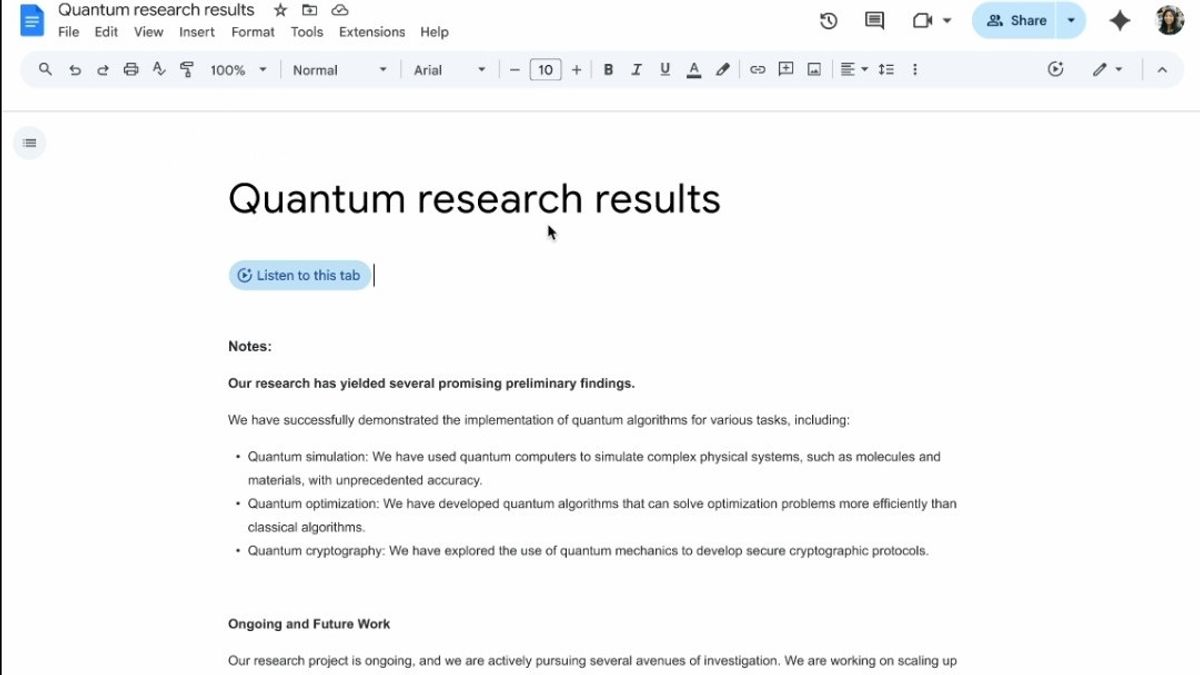


JAKARTA Not long ago, Google announced Gemini's integration into the Docs app. Now, the company is launching an audio-making feature from documents using Artificial Intelligence (AI).
Still supported by Gemini, this audio feature is designed to provide a more practical experience. If users are having trouble reading the full contents of the document, they can ask Gemini to read all of its contents.
"Whether you want to listen to the content loudly, absorb information better when reading, or help find errors in the writing, your audio version of the document provides a clear and natural sound," Google said, quoted on Wednesday, August 20.
Through the Google Workspace page, Google explains that this new feature can read documents in a loud voice. To access this AI-based audio, users can click the drop-down Tools menu and select Audio.
After that, select Listen to this page. Document makers can also add customizable audio buttons directly in the document. This button can be included by opening the Insert option, then selecting Audio.
Interestingly, users can adjust Gemini's AI audio output in Docs across various sounds and speeds. Unfortunately, this feature is only available in English and can only be accessed via desktop devices.
It is not yet known when the feature will be expanded because Google is still in the early stages of launching. This feature is also not available for free because users must subscribe to Workspace with business packages, companies, or education first.
This feature is also available to users who have AI Pro and Ultra subscriptions. This shows that the feature is intended for premium users.
The English, Chinese, Japanese, Arabic, and French versions are automatically generated by the AI. So there may still be inaccuracies in translating, please always see Indonesian as our main language. (system supported by DigitalSiber.id)
Popular


