

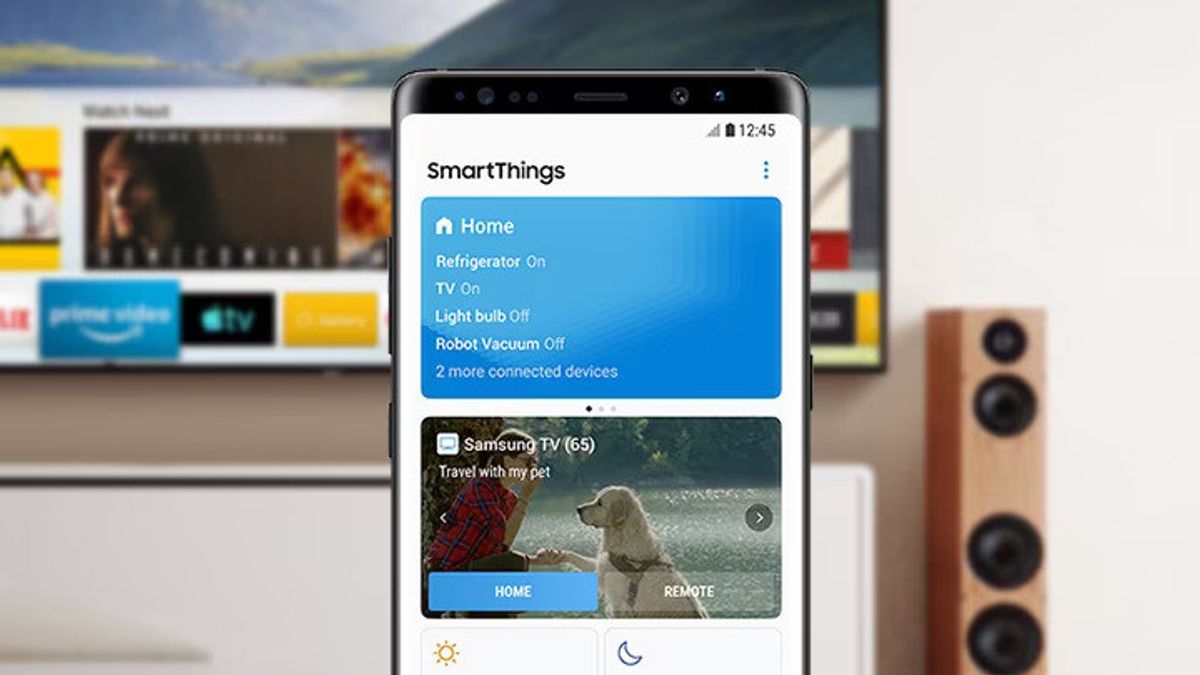


JAKARTA - Samsung has a connectivity feature between mobile phones and Smart TV through the SmartThings application. Thus, users can connect these two devices very easily.
Here are some of the flagship features that users can take advantage of:
Connecting Phones to TV
Just open the SmartThings app on your phone. If a pop-up appears, click 'Add Now'. Otherwise, open the 'Devices' menu and select the TV you want to connect to.
Making Your Phone A Remote Control
Once the phone is connected to the TV, the user can access the remote display directly from the app. This feature includes volume buttons, channels, to keypad numbers.
Mirror Screen (Smart View)
This feature allows the phone screen to be fully displayed on the TV screen. To use it, open the SmartThings app and tap your TV on the Dashboard, simply click the menu icon in the application and select Mirror screen (Smart View).
Watching TV On Mobile
When you have to change rooms, users can still watch TV shows via the phone screen. Open the SmartThings app and tap your TV on Dashboard, go to the menu, then select 'View TV on phone'.
SEE ALSO:
Listening To TV Voice Via Mobile
Users can also enjoy audio from TV privately via cellphone. Just select 'Play TV sound on phone' and connect the earphone to the device.
All of these features are designed to provide maximum flexibility and comfort for users, especially when they want to enjoy their favorite shows without interruption.
Samsung mentions that some features are only available on certain Samsung devices and require Bluetooth connection.
The English, Chinese, Japanese, Arabic, and French versions are automatically generated by the AI. So there may still be inaccuracies in translating, please always see Indonesian as our main language. (system supported by DigitalSiber.id)
Most Popular Tags
#Prabowo Subianto #donald trump #Febrie Adriansyah #8791 #giias 2026Popular


