



JAKARTA To prolong the lifespan of Samsung phones, not only does a proper or original charging device be needed. Users must also pay attention to supporting features such as Battery Protection. This feature has been available for a long time on One UI for various device models from the South Korean-produced cellphone.
One of the devices that will definitely get this feature is the Samsung Galaxy S25 Series. If you are a user of that phone and want to set the feature, here's how.
Enable Protection Battery Features
Almost all Galaxy phones have the Battery Protection feature, it's just that their capabilities are slightly different. Before knowing the difference, here's how to activate the feature.
SEE ALSO:
-
 | TEKNOLOGI
Terseret dalam Dugaan Korupsi PDNS, Lintasarta Tegas Akan Kooperatif
17 Maret 2025, 15:35


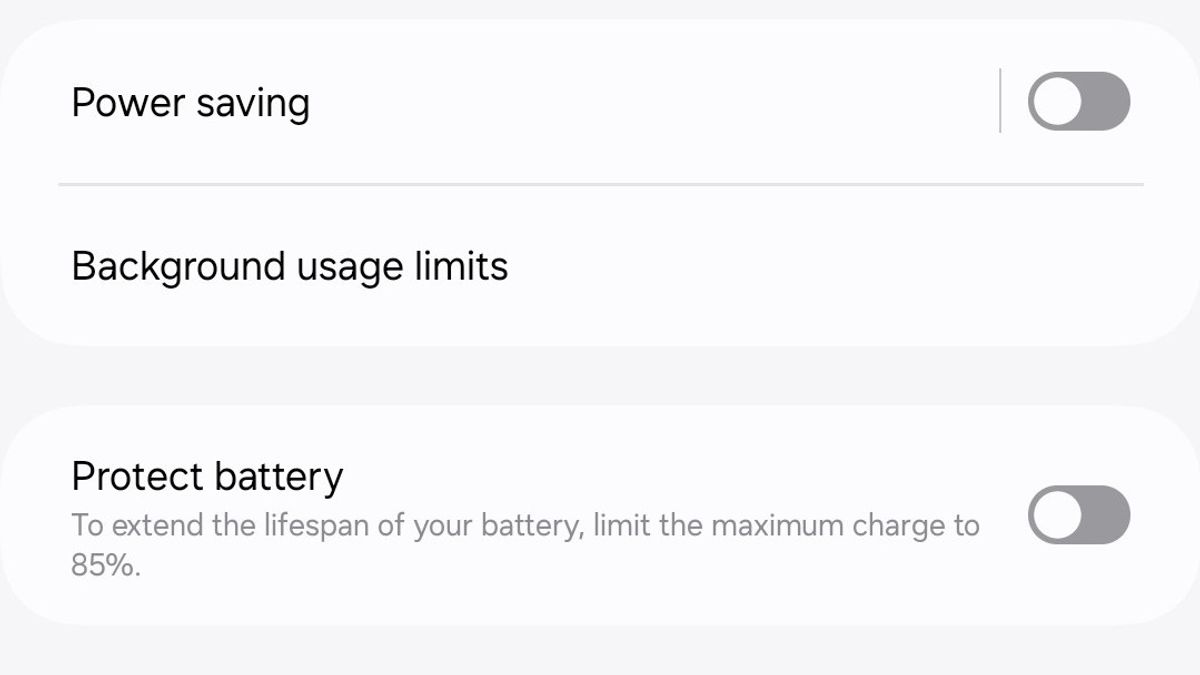
Protective Batteries in old Samsung Galaxy and new ones have different functions. If you are using standard Galaxy phones like A05s or other types, you may not see any choice in the Battery Protection section.
You will only see information on charging restrictions of up to 85 percent. This means that if you activate the feature, your phone battery will only charge up to 85 percent. This feature will limit charging excessively.
However, on the Galaxy S25 series, for example, you will get more detailed options. There are three offers of Protection Batteries provided, including Basic, Adaptive, and Maximum.
If you choose Basic, battery charging won't run more than 100 percent. When the battery is fully charged, charging will be stopped, but can be charged again when the phone's power drops to 95 percent.
For Adaptive options, the battery will only be charged up to 80 percent. The Adaptive Menu is more varied because users can choose the desired percentage range, starting from 80 percent, 85 percent, to 95 percent.
The English, Chinese, Japanese, Arabic, and French versions are automatically generated by the AI. So there may still be inaccuracies in translating, please always see Indonesian as our main language. (system supported by DigitalSiber.id)


