


YOGYAKARTA Users of Bank Central Asia (BCA) can enjoy the mobile banking (m-banking) feature without being complicated. The reason is, BCA m-banking registration can be done via ATM. This means that customers do not need to come to the office to register. How to register m-banking BCA at ATMs is also very easy and practical without complicated conditions.
Reporting from the official BCA website, the way to register m-banking is to visit the nearest BCA ATM. Here are the steps.
After registering at an ATM, users need to download and activate BCA mobile banking. Follow the steps below.
SEE ALSO:
-
 | TEKNOLOGI
S Pen di Galaxy S25 Ultra Tidak Ada Bluetooth, Ternyata Ini Alasannya
24 Januari 2025, 10:30 -
 | TEKNOLOGI
Samsung Galaxy A56 dan Galaxy A36 Bakal Rilis Pertengahan Maret 2025
24 Januari 2025, 10:05 -
 | TEKNOLOGI
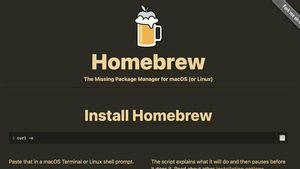
Penjahat Siber Kembali Mengincar Pengguna Mac Lewat Iklan Palsu Homebrew
24 Januari 2025, 09:05 -
 | TEKNOLOGI
Avanade Tunjuk Megawaty Khie sebagai Regional Managing Director yang Baru
24 Januari 2025, 08:31

If there are obstacles in the registration process, you can contact BCA's consumer services through the available digital channels. Make sure not to send important codes or documents to other parties that are not known and trusted.
That's information regarding how to register BCA m-banking at ATMs. Visit VOI.id to get other interesting information.
The English, Chinese, Japanese, Arabic, and French versions are automatically generated by the AI. So there may still be inaccuracies in translating, please always see Indonesian as our main language. (system supported by DigitalSiber.id)


