


JAKARTA - After a year of its launch, Gemini on Android has now become a much better assistant phone. The latest update allows users to access Gemini Extensions directly from the Android lock screen.
On Friday 31 January, Google officially announced that "Gemini extensions can now be accessed directly from the Android device's key screen." This feature can be used by longer pressing the power button or using the voice command "Hey Google." Some users have seen this upgrade in recent weeks, and now the feature is widely available.
With this feature, some of the interactions that are often carried out with Gemini can now be done without having to unlock the device.
SEE ALSO:
-
 | TEKNOLOGI
Penertiban Nomor, Komdigi Bakal Keluarkan Kebijakan eSIM dalam Dua Minggu ke Depan
04 Februari 2025, 18:35 -
 | TEKNOLOGI
Apple Notes Hadirkan Fitur Baru untuk Beralih Catatan dengan Mudah
04 Februari 2025, 18:06 -
 | TEKNOLOGI
Bukan Pembatasan Penggunaan Sosmed, Menkomdigi: Pembatasan Akses Pembuatan Akun Anak
04 Februari 2025, 17:03 -
 | TEKNOLOGI
Boeing: Kerugian Starliner Capai Rp2,4 Triliun pada Kuartal Keempat 2024
04 Februari 2025, 16:34
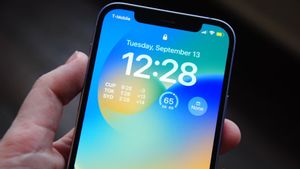
In July, Gemini added a setting that allows users to get answers to general questions directly from the Android lock screen. Now, the preference is called "Use Gemini without unlocking" which can be found in Gemini > Gemini Settings on the lock screen. With this feature, users can:
Get an answer to a general question
Make a call or reply to text messages
Managing personal requests, such as making reminders
Control most smart devices, such as Smart Display or smart thermostats
Adjusting, stopping, and delaying alarms
Set and stop the timer
Controlling media, such as bridging songs
Control some of the phone's features, such as turning on the flashlight and changing the volume
More complex commands that can be used include:
"I'm planning to date tonight, remind me to buy chocolate, strawberries and roses."
"What time is Starbucks close, and how long will it take to get there?"
Like previous Google Assistants, Gemini still requires users to unlock devices for some actions involving personal content from the app, such as calendar events.
In addition, last December, Google launched a separate setting called "Do a call and send a message without unlocking," which users must manually activate.
The English, Chinese, Japanese, Arabic, and French versions are automatically generated by the AI. So there may still be inaccuracies in translating, please always see Indonesian as our main language. (system supported by DigitalSiber.id)


