
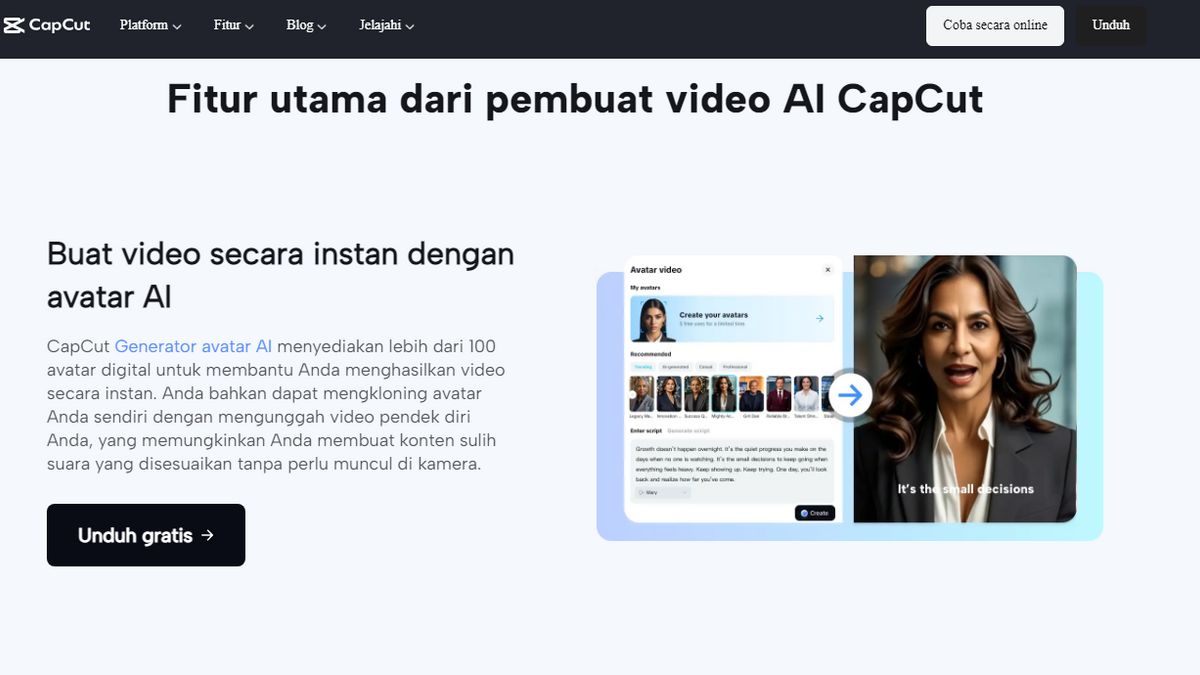


The development of ai videos makes the content production process now much faster and more efficient. You no longer need expensive editing devices or advanced technical expertise to produce professional videos. Through the CapCut application developed by ByteDance, the video editing process can be done practically using artificial intelligence-based automatic technology.
For those of you who are active in creating social media content, digital promotional materials, and educational videos, the AI feature in CapCut can reduce production time while improving visual quality. This article discusses how to use the feature as well as practical tips to make the video look more professional.
Digital transformation makes the need for visual content increase drastically. Video is no longer just entertainment, but also becomes the main communication media in digital marketing.
With AI technology, you can:
Save editing time Create automatic visuals from scripts Produce professional transitions without technical skills Instantly optimize video qualityThrough the ai video feature, you can create an automatic video by simply entering text or content concepts. The AI system will help organize the visual structure, effects, and transition timing.
This is very helpful especially if you often make content for social media or digital campaigns.
Get to know CapCut as a Modern Online Video EditorCapCut is not only available in the mobile app version, but also provides a flexible web-based editor. With the Online video editor feature, you can edit directly through the browser without having to install additional software.
The advantages of this online editor include:
Simple and intuitive interfaceSupport various video formatsAutomatic cloud storageReady-made templates for various content needsFor those of you who work with many devices, this feature is very easy because files can be accessed anytime.
AI CapCut Features You Must TryAI technology is CapCut's main strength in helping creators produce high-quality videos. Here are some of the most frequently used features.
1. AI Text to VideoThis feature allows you to create a video directly from a script. You just need to write down the concept of the content, then the system will:
Setting automatic visuals Adding animations Setting video tempoThis feature is perfect for educational and storytelling content.
2. Auto Caption GeneratorAuto captions help increase engagement, especially on social media content. AI will detect the voice and accurately convert it into text.
The advantages of this feature:
Supports many languages Automatic timing synchronization Varied caption style 3. AI Background RemoverIf you want to make a promotional video without a green screen, this feature can be a practical solution. AI will automatically remove the background with a fairly precise result.
Tips to Maximize the Results of AI Video EditingAlthough AI makes the editing process easier, there are still some strategies to make the video result look more professional.
1. Use a Clear ScriptAI works based on text structure. The clearer the script flow you create, the more neat the visual results.
Practical tips:
Use short sentencesSeparate each sceneDetermine the visual tone2. Choose a Relevant TemplateCapCut provides many templates. However, not all templates are suitable for all types of content.
For example:
Educational content → use a clean minimalist template Promotional content → use a dynamic motion template Storytelling content → use a cinematic template 3. Combine Manual and AI EditingEven though AI is automatic, you can still add manual touches such as:
Light color gradingAdditional sound effectsOverlay text brandingThis step will make the video look more unique.
Content Strategy Using AI Video for Social MediaMany creators are starting to rely on AI because it can speed up content production. If you want to consistently make videos, here are some strategies you can implement.
1. Batch Content CreationCreate multiple scripts at once and then process them using AI. This technique helps you save production time.
2. Focus on the Hook in the First 3 SecondsSocial media algorithms pay a lot of attention to initial engagement. Use:
Quick visual Contrast text Dynamic transitions 3. Use Vertical FormatThe vertical format is more optimal for short video platforms and increases the chances of content being recommended.
Advantages of Using CapCut for Beginner CreatorsCapCut is designed to be easy to use by anyone, including those of you who are just learning editing.
Some reasons why this tool is suitable for beginners:
Doesn't require high device specifications Many automatic presets Simple editing workflow Many community tutorialsIn addition, AI integration makes the editing process faster than conventional software.
AI Video Editing Trends in This YearAI editing technology is predicted to continue to develop. Some trends that are starting to be seen include:
PromptAI motion graphic generator based on automatic video Smart scene detection AI voice cloning for dubbing contentCapCut is one of the platforms that actively presents feature updates to follow this trend.
FAQ About CapCut AI Video Is the AI video in CapCut free to use?Most of the basic features can be used for free, but some premium templates require additional access.
Is AI video editing suitable for beginners?Yes, the AI feature is designed to be easy to use without professional editing skills.
Can CapCut be used without installing the app?Yes. You can use the browser version through the online editor feature.
ConclusionAI video technology has changed the way creators produce digital content. With its ever-evolving automatic features, CapCut provides a practical editing solution for anyone who wants to produce quality videos without complicated processes.
From automatic video generators to web-based editors, all tools are designed to speed up your content production workflow. If used with the right strategy, CapCut not only helps speed up editing, but also consistently improves the visual quality of content.
The English, Chinese, Japanese, Arabic, and French versions are automatically generated by the AI. So there may still be inaccuracies in translating, please always see Indonesian as our main language. (system supported by DigitalSiber.id)
Most Popular Tags
#Prabowo Subianto #donald trump #firearm #8791 #giias 2026Popular


