
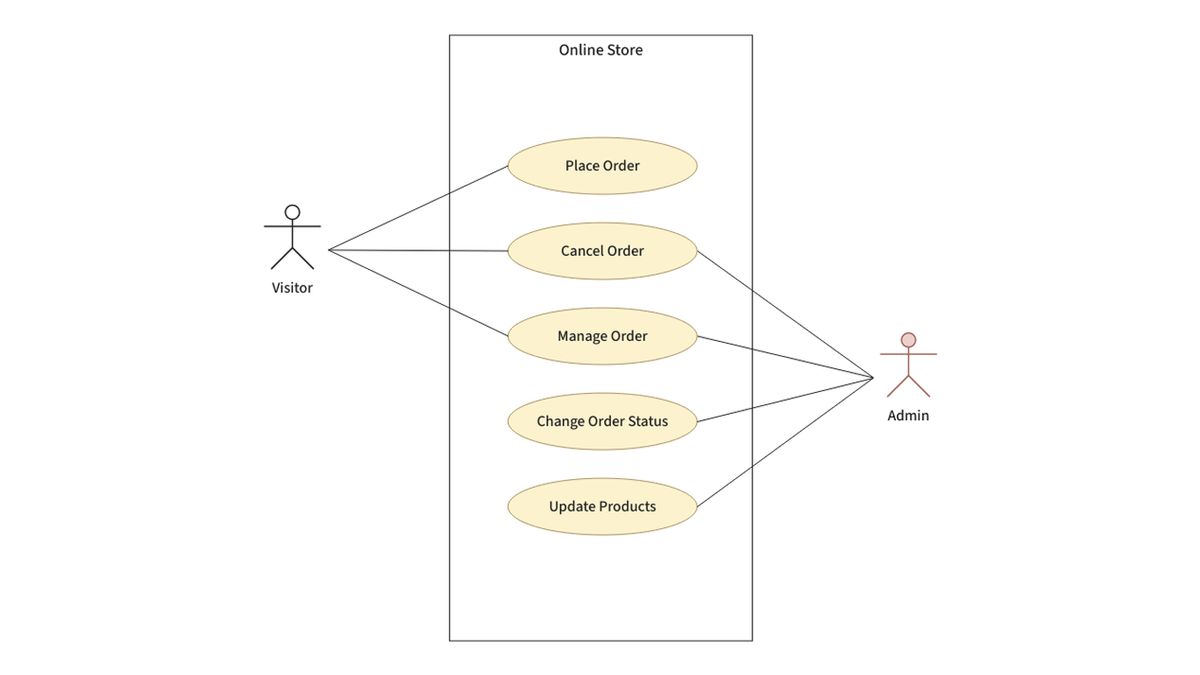


YOGYAKARTA - Use case diagram (UCD) is one of the diagrams in the Unified Modeling Language (UML) that can be used in developing software and system design that serves to illustrate the interaction between users and systems.
This diagram is also known as a behavior diagram, by describing the sequence of actions (use cases) that the system can or must perform.
What is a Use Case Diagram?Dilansir dari laman Lawencon, use case diagram adalah jenis diagram yang menggambarkan interaksi antara sistem dan aktor dengan menjelaskan tipe interaksi antara pengguna dan sistem.
Furthermore, as an initial step of modeling, this diagram is easy to use because it can visualize the actions performed by actors and systems.
Use Case Diagram FunctionThe functions of the use case diagram include the following:
Display the sequence of activities in the system in a systematic manner. Describe the flow of business processes and the sequence of activities in the process system.Benefits of the use case include:
System Requirements Verification. Identifying the users who can interact and the system roles. Confirming the system requirements clearly. Providing an interface overview of the system. Facilitating communication between domain experts and end users.When Can We Use Use Case Diagrams?- This diagram provides a high-level overview of the relationship between use cases, actors, and systems. Experts provide advice on how to use the USD as a complement to more detailed action texts.
UML use case diagrams can be used in the following situations:
The main components of USD can include some of the following:
Entities that interact with the system can be individuals, organizations, or external systems that can produce or use data. A series of actions and interactions between actors and systems is commonly referred to as a scenario. The results that are desired to be achieved through various activities and variants in the user case, this must be clearly described in the diagram.There are several key symbols used to convey information. The following are the symbols in USD.
Can represent entities that interact with a system, whether it is a user, another system, or a device. Use Case. Describe the actions performed by an actor with a specific purpose and represent the interaction between actors in the sequence of actions. Describe that a use case can add other functions under certain conditions. Describe the specialization of actors that can participate in a particular use case. Lines with arrows connect actors and use cases, indicating the actor's involvement in the use case. Explain that a sequence of actions becomes part of the function called by another use case. Explanation in A Use Case DiagramActors that interact can include Customers, Bank Parties, and ATM Operators. Available use cases include the following elements: session, transaction, transfer, balance check, cash withdrawal, startup system, and shutdown system. The complete explanation is as follows:
System Startup. The operator turns on the system with the "ON" switch and fills the safe, and connects the machine to the bank. System Shutdown. After ensuring that the machine is not in use, the system can be turned off with the "OFF" switch. It can be started when the customer inserts the card into the ATM machine until the card can be withdrawn. It covers the same bank transfer and different bank transfers. It covers transfers, cash withdrawals, and balance checks. Cash Withdrawal. The process of withdrawing money from the balance, in general, can be accessed through the main menu. Check Balance. Deliver account balance information to the customer.That's a review of the use case diagram, benefits, and components. Visit VOI.id for other interesting information.
The English, Chinese, Japanese, Arabic, and French versions are automatically generated by the AI. So there may still be inaccuracies in translating, please always see Indonesian as our main language. (system supported by DigitalSiber.id)


