

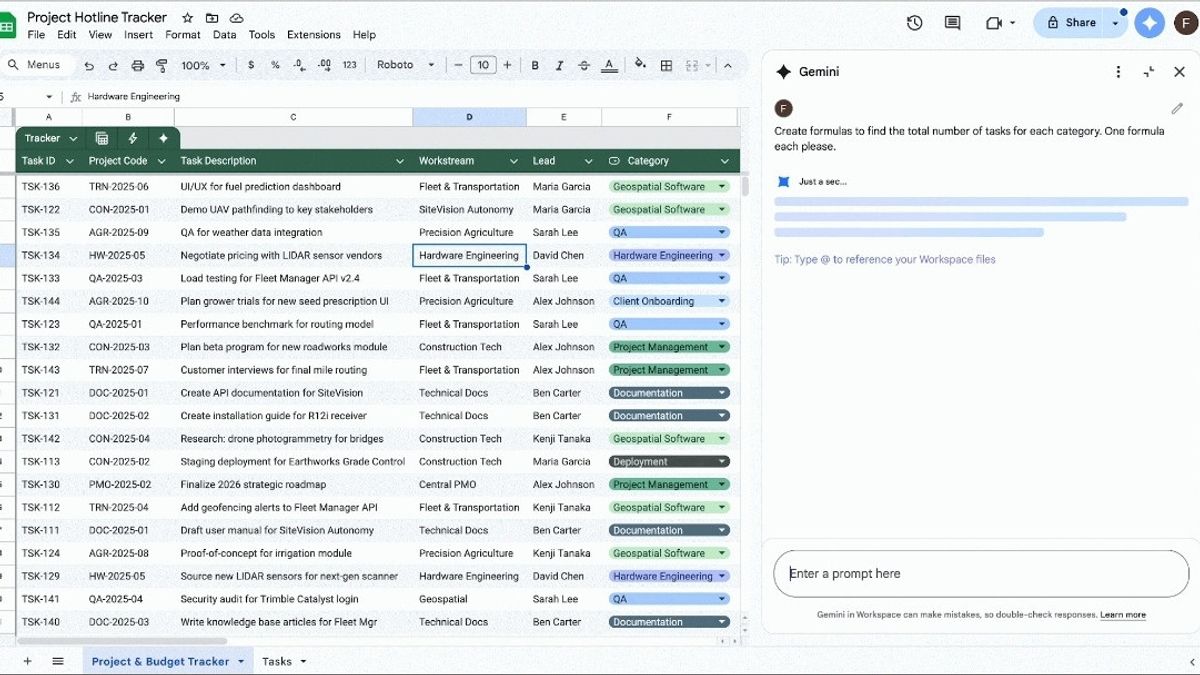


JAKARTA Google has long integrated Gemini's Artificial Intelligence (AI) model into Sheets. However, the company recently increased its capabilities to a better level.
Gemini di Sheets kini tidak hanya fokus pada penambahan text atau pembuatan graph, tetapi juga mampu menangani formula. Bahkan, model AI ini mampu mengagnosis kesalahan dan correcti kesalahan penggunanya secara otomatis.
With the launch of this capability, users not only receive improvements from Gemini, but also understand how calculations are carried out on their Sheets pages. Basically, Google wants to make Gemini's formula tally more transparent.
The first feature highlighted in Gemini's upgrade at Sheets is a detailed explanation for the complicated formula. With this feature, Gemini can display step-by-step processes on how the formula works.
Meanwhile, Gemini's error explanation and self-correction are here to help users learn and work quickly. If a formula fails, Gemini can explain why the failure occurred.
SEE ALSO:
-
 | TEKNOLOGI
Microsoft Terpaksa Perpanjang Dukungan Windows 10 Secara Gratis, Khusus di Eropa
26 September 2025, 16:05 -
 | TEKNOLOGI
Alibaba Cloud Umumkan Rencana Peluncuran Pusat Data Baru di 8 Negara
26 September 2025, 15:35 -
 | TEKNOLOGI
Equinix Luncurkan Infrastruktur Distributed AI, Dorong Adopsi Agentic AI
26 September 2025, 14:05 -
 | TEKNOLOGI
Cara Translate Bahasa Asing di Chat WA Secara Otomatis, Begini Langkahnya
26 September 2025, 14:32
For example, when the date in the A1 column is format as text, the system will use the error message to produce a corrected formula at its next turn. This will help users solve fundamental problems in their data format.
Additionally, for more complex tasks, Gemini can now provide several formula options. This feature provides flexibility for users to choose the formula that best suits their needs.
To use these new features, users can access Gemini for Sheets on the side panel by clicking the Tanya Gemini icon in the top right corner of Sheets. This update is already available throughout Sheets, but only for users who subscribe.
The English, Chinese, Japanese, Arabic, and French versions are automatically generated by the AI. So there may still be inaccuracies in translating, please always see Indonesian as our main language. (system supported by DigitalSiber.id)


