


JAKARTA Samsung is still collaborating with Google at the launch of its newest device. If in the previous generation Samsung focused more on Circle to Search, now the Galaxy S25 series features Gemini more.
While showing off its newest device on the Galaxy Unpacked, the Galaxy S25 series looks more seamless due to Gemini's support. This AI-based virtual assistant and chatbot further supports the productivity of its users thanks to Gemini Live and improved extension features.
Since a few months ago, Gemini users have been able to give orders without the need to open the app. They only need to activate Gemini and type a command in the Tanya Gemini column. In addition, users can also attach photos taken directly.
This ability was initially limited to time, but now users can also take advantage of Gemini Live. When they call Gemini and take pictures around him, there is a new option called 'Talk Directly About This'.
When tapped, Gemini Live will appear with images still visible on the screen. Users can interact, ask for advice, or even exchange ideas about the object being photographed. Users can even ask for recipes from the food left in the refrigerator.
SEE ALSO:
-
 | TEKNOLOGI
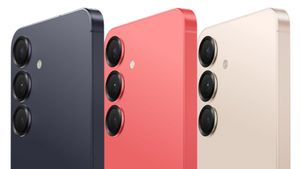
Beli Sekarang! Begini Cara Pre Order Seri Samsung Galaxy S25 yang Baru
23 Januari 2025, 20:35 -
 | TEKNOLOGI
Main Gim Makin Seru, Tim Esports EVOS Berkolabotasi dengan Chupa Chups Big Babol
23 Januari 2025, 20:05 -
 | TEKNOLOGI
Peluncuran Lost Records: Bloom dan Rage Tape 2 Ditunda Hingga 18 Maret
23 Januari 2025, 19:35 -
 | TEKNOLOGI
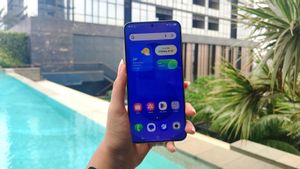
Sudah Rilis di Seri Galaxy S25, Ini Dia Fitur Menarik dari One UI 7
23 Januari 2025, 18:35

In addition, Google is also improving extension capabilities at Gemini. Initially, users could only order one app at a time, but now users can operate multiple apps at once to save more time.
For example, users can ask about when their idol will hold a concert and save the date to Google Calendar. Users can also search for activity ideas at the weekend, then ask Gemini to directly send the results to certain contacts.
Talk about images with Gemini Live is only available in the Galaxy S25 and Pixel 9 series. To be able to access multiple extensions at once, users can try it on Gemini websites or mobile apps on Android and iOS.
The English, Chinese, Japanese, Arabic, and French versions are automatically generated by the AI. So there may still be inaccuracies in translating, please always see Indonesian as our main language. (system supported by DigitalSiber.id)
Most Popular Tags
#Prabowo Subianto #donald trump #Febrie Adriansyah #8791 #giias 2026Popular


