
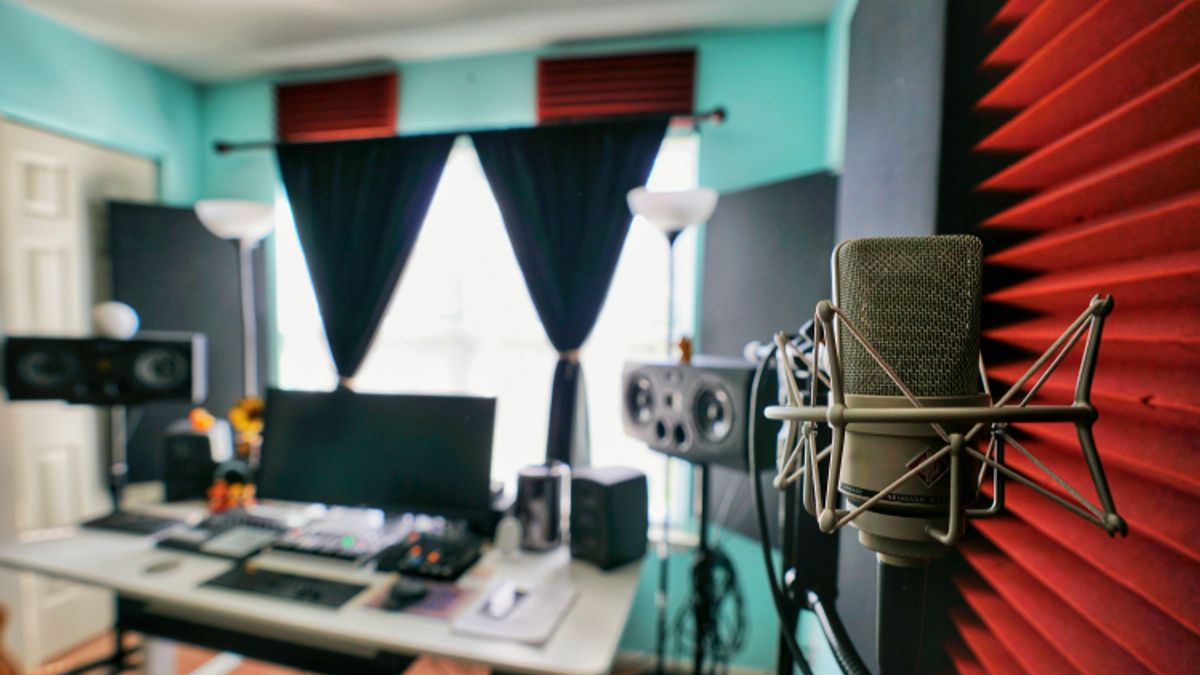


YOGYAKARTA - In the era of technology and information media like now, people are increasingly facilitated to make music or vocal recordings. No wonder many people are starting to try to make their own recordings at home with simple minimalist tools. If you are interested in trying it, the most minimalist way to record from home can be done with a laptop or computer. Read this article to know how.
How to Record from Home Minimalist VersionFor those of you who want to make your own studio at home for content recording activities, there are two ways that can be done, namely through a computer or laptop. Here are the steps.
Choose the ideal roomFor recording, you need to choose the ideal room. That is, away from noisy sound sources, excessive light, and consider the aesthetics of the room. Avoid using a room that is too large or open to minimize the sound leaking in during recording. You also need to consider lighting if you want to take a video. Also make sure the room has an electrical source for recording equipment later.
Prepare the toolsThe need for recording equipment at home actually adjusts to the needs and desires. You can prepare many tools if the recording needs are many and complex. Conversely, the need for recording equipment can be more concise if the recording to be done is simple. For simple recording equipment at home, you can prepare some of the following tools.
Laptop / Computer minimum minimum RAM 8GB Mic condenser, you can buy it on the marketplace for Rp. 200 to 500 thousand Audio interface to connect instruments or microphones to a computer, you can buy it on the marketplace for Rp. 100 thousand Microphone and headphones Digital Audio Workstation (DAW) is a software for recording and editing music, which can be downloaded via the internet. The process of assembling the instrumentAfter the room and equipment tools are available, you just have to assemble them as a simple recording equipment at home. You can follow the instructions for assembling the following simple recording equipment.
Install DAW on laptop Connect the mic or the necessary tools to the interface Record tracks via computer with DAW, you can start with basic instruments first, for example drums followed by rythem, bass, and so on After all the musical components are recorded, do simple editing using the DAW. You need to remove noise or unwanted parts through the software Adjust the volume and position of each instrument to be balanced. You can adjust the panning (left-right) to arrange the position of the sound Do mastering, that is, improve the sound quality to be better. This process is done by adding plugins After mixing and mastering are completed, export the track to an audio file format. You can export to WAV or MP3 format."That's how you record from home. Visit VOI.id for other interesting information.
The English, Chinese, Japanese, Arabic, and French versions are automatically generated by the AI. So there may still be inaccuracies in translating, please always see Indonesian as our main language. (system supported by DigitalSiber.id)


